
Management Multitasking
Really good coding agents are finally here

I used to think I was a good multitasker. Then I realized multitasking was evil because it felt like things were getting done faster but they really weren't. If Task A takes 10 mins and Task B also takes 10, focusing on A means it's done in 10. If you multitask, both are done in 20.
Building software, analyzing data, or any other heads' down activity requires uninterrupted blocks of time because the costs of switching between tasks are so high. So, for years I tried to minimize the number of plates spinning at once.
But now I’m multitasking again. On any given morning I’m working on several projects with my favorite AI partners. As I write this, AI is revamping the look of my website in one session; building a mobile app in another; and creating various productivity tools in yet another. It’s also helping me craft materials for AI training classes I’m hosting for clients.
This works because it's "management multitasking". That is, I have a team of AI agents that do the actual work, but I’m still around so they can ask for guidance. Management multitasking with AI agents allows me to be extremely productive - and it’s really fun.
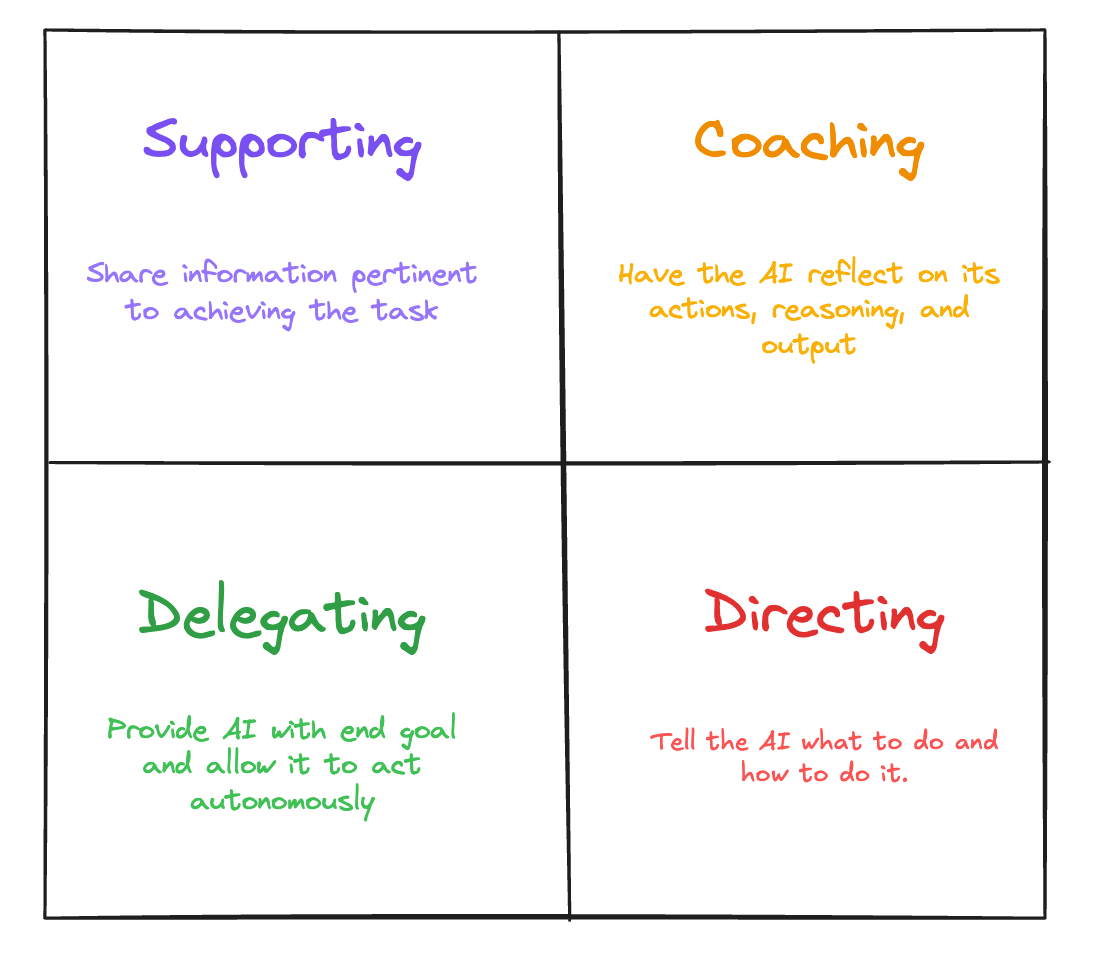
To get the most out of agents, it helps to adjust your communication style to the situation. A 1970s management theory called Situational Leadership was designed for adapting how managers communicate with employees based on context. It turns out the same techniques apply when working with AI. Getting into a flow state means becoming comfortable switching between modes based on the situation:
A Supporting style is best for complex tasks. You assign a job to the AI and provide materials to help, like documents, web sites, pictures, etc.
Delegating is when you simply tell the AI what you want and give it free reign. "Vibe Coding", by the original definition, is delegation.
When something needs to get done in a very specific way, you are Directing the AI. This is particularly useful with image generation, "make me a pointillist drawing of a yellow duck with a blue question mark above its head".
When your AI gets stuck in loop where it thinks a problem has been solved but it hasn't, the Coaching style can help them break free - "Come up with two testable hypotheses for why this isn't working and tell me which you would test first and why".
The relative importance of each style is changing as models improve. Many of us noticed a shift somewhere around December when Claude Code + Opus 4.5 started handling delegation much better; meaning it seemed weirdly good at understanding intent.
This new form of management multitasking is possible because of Agentic Engineering.
Agentic Engineering
There are a few different names for coding with AI, but I like Agentic Engineering. Vibe Coding was the original name. Whatever you call it, the gist is the same: a human tells AI what they want and delegate most, if not all of the actual programming.
The difference between having ChatGPT write some code and Agentic Engineering is huge. You can ask ChatGPT to write a function or even a web app and it will do a pretty good job. But when you get into bigger software projects, you need something that can handle coding at scale. This includes architecture, design, performance, robustness, security and several other things that make expert software engineers necessary. Agentic Engineering involves planning, breaking problems into little pieces, and tackling them one by one. The Agent is the expert software engineer. We’re well past considering AI as “junior devs”; they are specialist partners.
Agentic Engineering in 2024-to-mid-2025 was an exercise of frustration combined with impossible-to-resist glimpses of a new world. I think of a rat in a cage trying to get a piece of cheese that’s just outside of reach. That’s been me. Kinda. But what changed in mid/late 2025 was 1/ The brilliant Claude Code developers realized how to make a killer agent that really pushed the model into the redline (other tools, too, e.g. AMP, Codex, etc); 2/ The people pushing the limits of agents found some very interesting things, like if you keep saying “you’re not done”, the output improves (see info on Ralph).
All of a sudden, building software is completely different. We’re now limited by ideas and tokens. The challenge isn’t learning that new library or package manager, not with designing that ERD or class structure. The challenge is learning the sweet spot of delegation so you can move as fast as possible with coding Agents doing most of the work.
But some of the challenges haven’t changed at all: What tools and techniques should you use? My opinions on these are evolving rapidly but here’s a current snapshot.
Tools I Like
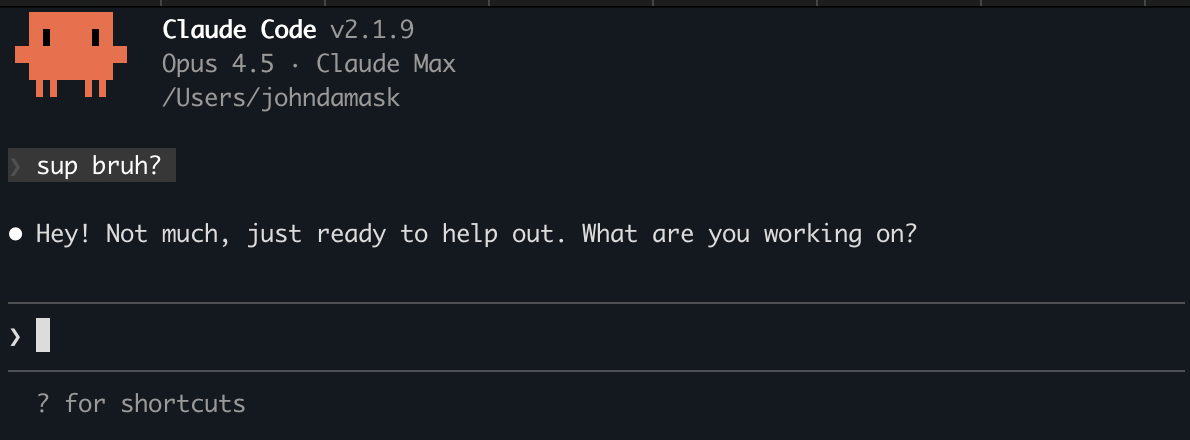
These days, my foundation is Claude Code with Opus 4.5. There’s no reason to use any other model for building real apps. Opus 4.5 is fantastic, and the Claude Code agent is truly amazing. (this statement will be obsolete in 5..4..3..2..)
When you get into Agentic Engineering, you realize that you need a different way of working than you did as a traditional software engineer. Part of this is how you convey information to the computer. If you’re writing code yourself, you need the keyboard. But it turns out that when your agent is creating the code for you, you can go much faster if you just talk to your computer. I like a program called Wispr Flow for this.
Another thing that happens when you start building in this way is that you have a lot more time on your hands. When you task an agent with a problem to solve, it goes off and may take several minutes to return. You could spend your time doom scrolling or playing games, but it’s better to use that time productively….by working on other projects!
There are two reasons this needs some housekeeping: 1/ You need a way to organize all the code, and 2/ You need a way to keep track of all the agents.
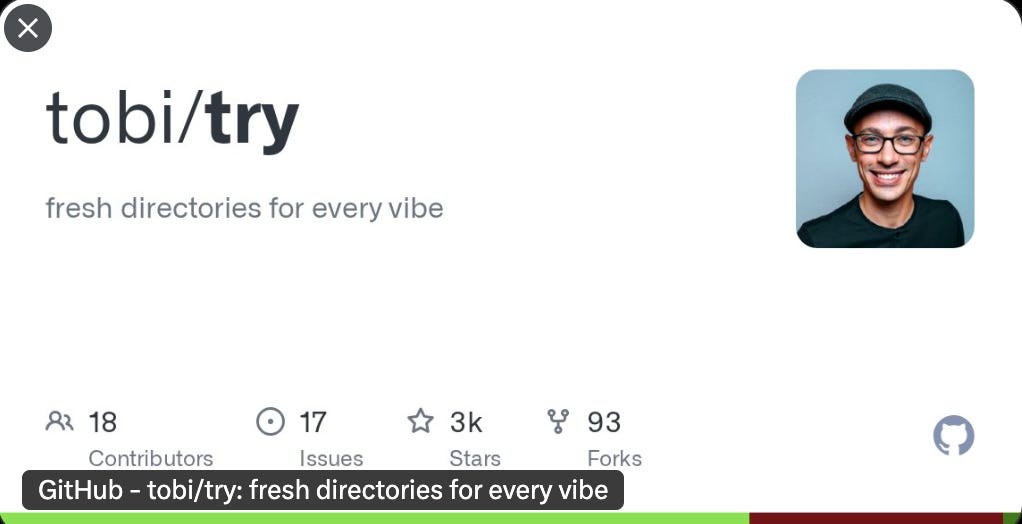
My solution to the first problem is to use Git for real projects and to use Try for all the little experimental coding sessions I run.
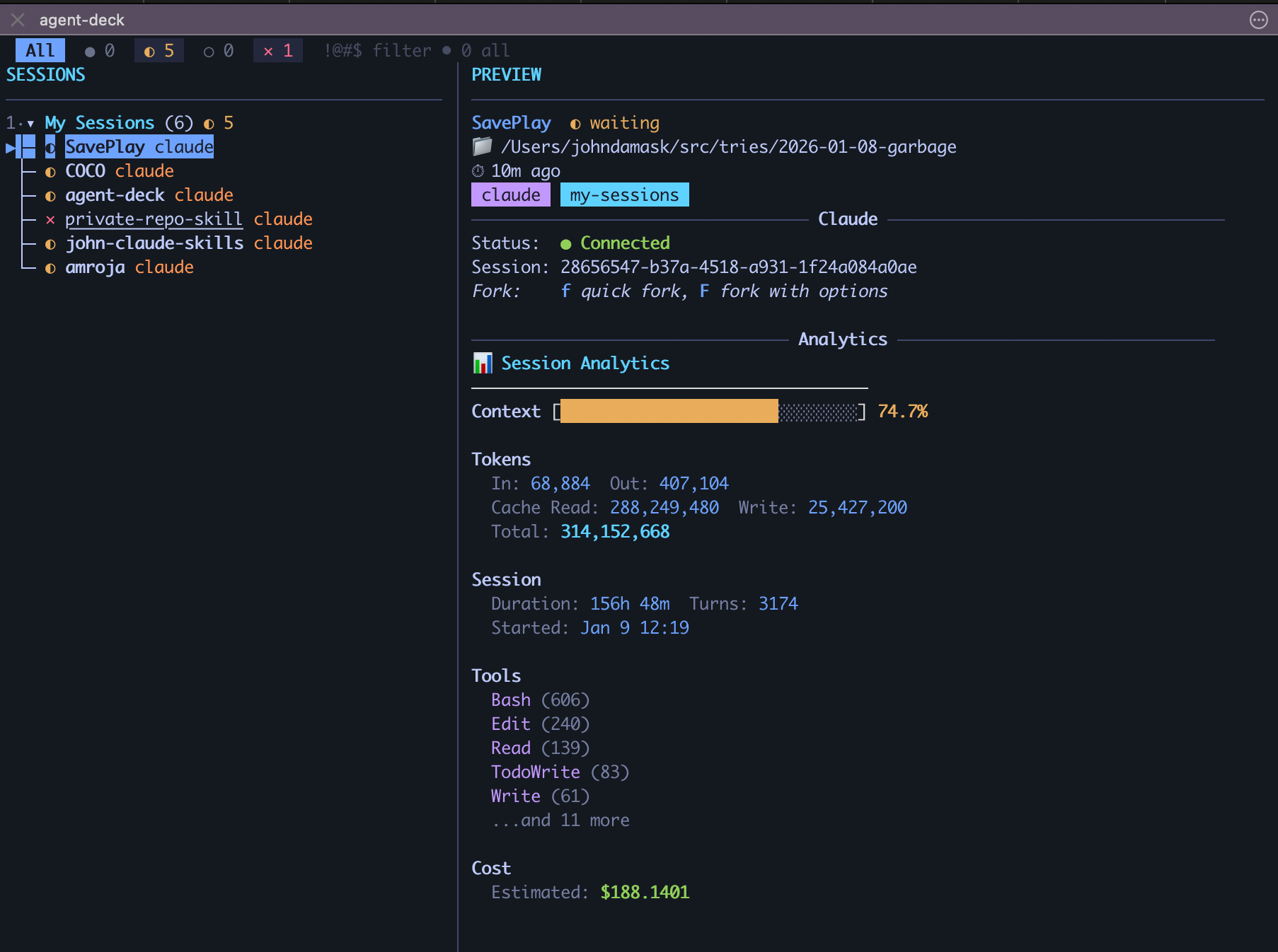
The second problem is trickier. Claude code runs in a terminal. So if you want to run multiple projects, you’re running multiple terminals. But it’s too easy to lose track of what’s going on in which. And it’s too easy to accidentally close a terminal thereby killing your coding session. What’s needed is a single interface that shows all active Claude Code sessions and maintains state so I can return to work even if I close a tab.
There are a few solutions out there, many of them open source. Recently, I’ve been using a program called Agent Deck that’s pretty good. Besides being a single pane of glass for my sessions, it manages them using the old unix tool, TMUX. This means if I close a tab by mistake, Claude Code is still running and I can just open it back up.
Another thing that needs managing is your task list. In traditional software engineering, you have humans creating a backlog of issues. This can easily be done in GitHub, but it’s very manual. It turns out that you can move faster if you have LLMs create the issues for you based on a specification or set of specification documents. Even so, managing these becomes a problem. In order to remove as much friction from the system as possible, you have to get the human out of there as much as possible.
Over a few marathon vibe coding sessions, Steve Yegge wrote Beads. It’s a very cool, sensible way for agents to keep track of what’s going on. This is useful for a single agent, because sometimes their memory fills up and have to start over, or sometimes they just die and the newborns need to get up to speed. But it’s also great for multi-agent development because they have a shared task list and a shared memory.
Tips n Tricks
One of the most useful things with Claude code is a global CLAUDE.md file. There are plenty of these out on the web, but I find it better to start from scratch and just add things to it as you go along. You can even just tell Claude, “Hey, remember what we just did!” and it’ll write it to the CLAUDE.md file.
There are things that even the best LLMs forget all the time. So it’s good to put these in the CLAUDE.md file so the agent can be reminded. Things like:
Looking up today’s date at the start of a session
Create a virtual environment when installing Python packages
A reminder to the LLM that it lives in the past, so whenever it’s writing code against an API or installing packages of certain versions, I tell it to look up the most recent information online because if you don’t, the agent will write code that is either immediately outdated or even obsolete.
CLAUDE.md can also be a savior when you reach the dreaded end of context - that’s when Claude’s memory fills up. In these cases, Claude Code may automatically compact your session or just start another one, if you’re unlucky. This is the Memento moment when Claude wakes up and has no idea what’s happened (check out the movie if you haven’t seen it).
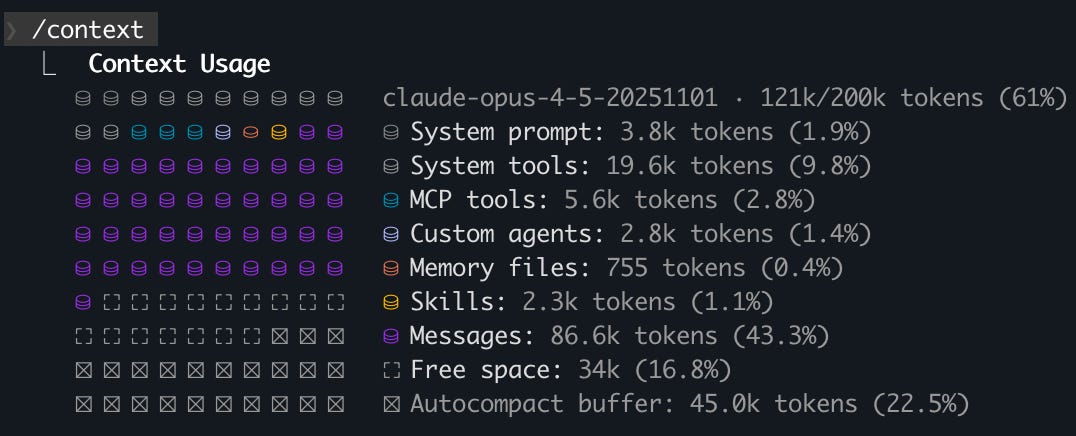
I instruct Claude Code to keep track of work via git commits, issue trackers, and by keeping a running DevLog (see Buzzword Bingo section below for more). Also, the current version of Claude Code doesn’t know where it stores its chat history - weird - so I tell it, “You can find chat history under ~/.claude/projects in files organized by timestamp”. This is a savior because at the start of a new session I can just ask, “where were we?”. In fact, I made an agent to do this.
Ok, even though I said it’s good to make your own CLAUDE.md file, since you’re still reading, here’s mine.
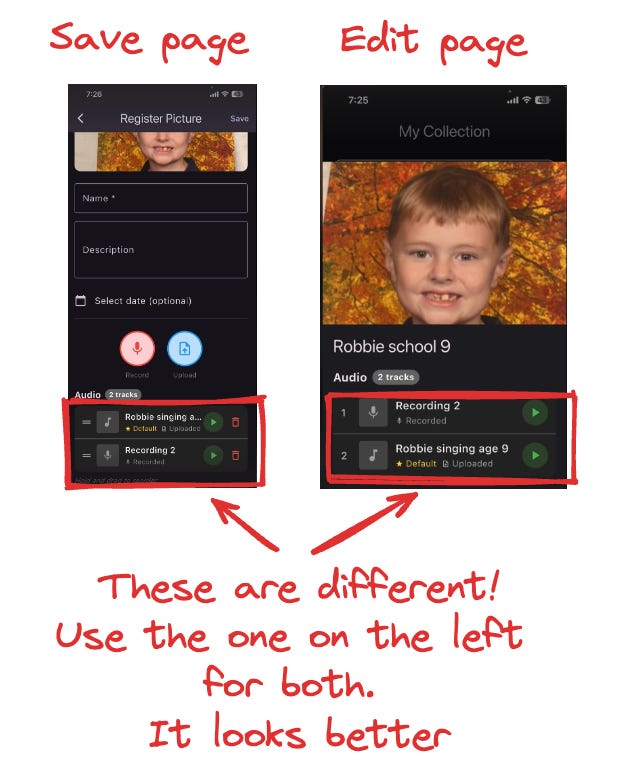
Another thing I do all the time, so much that nearly forgot to include it, is to lean into Claude’s ability to see. Sometimes it’s much easier to show the AI what you want rather than explain it. I’m constantly taking screenshots of my app, annotating them in Excalidraw, and pasting them back into the session. I just have to say “look at this” and Claude gets it.
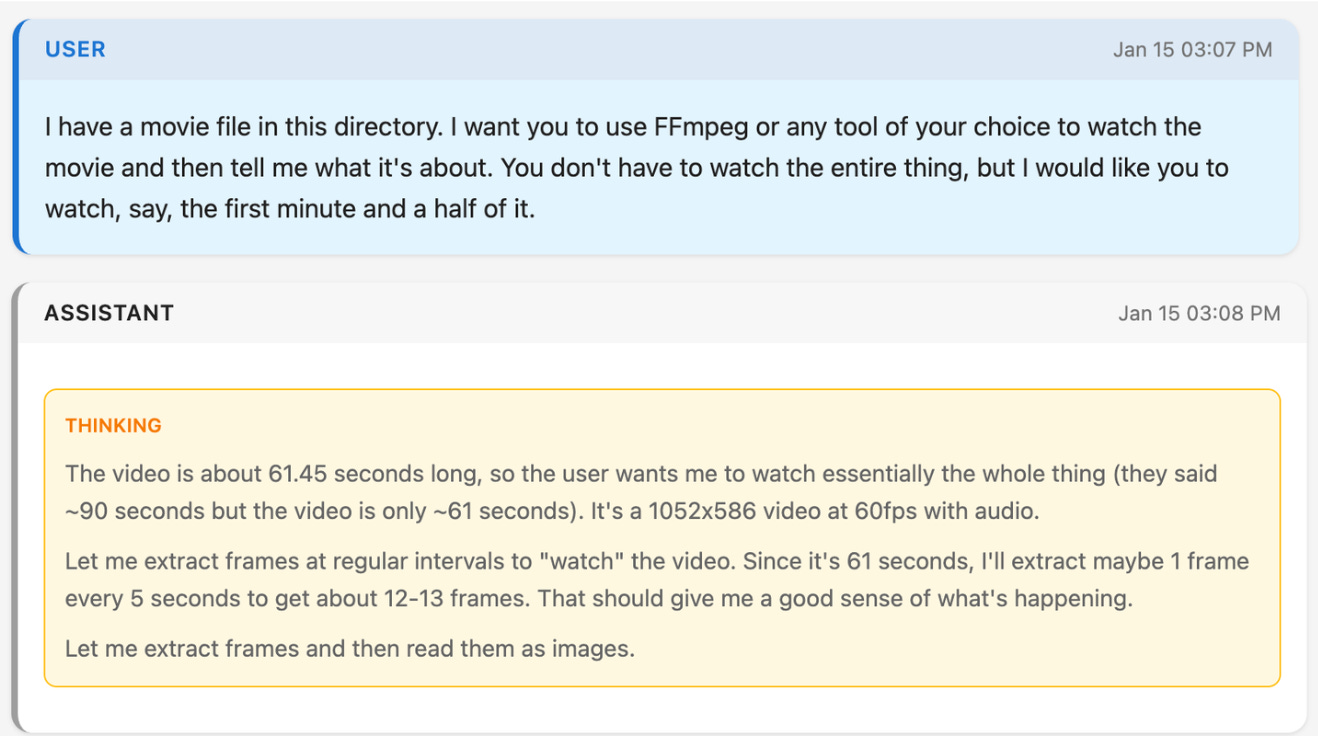
Claude Code can do a ton of stuff apart from coding; you just have to ask. For example, I recently worked with Claude to replicate an app based on a video walkthrough. The technique LLMs use to “watch” videos is to chop them into frames, each being a single image - sometimes I specify how do to this but I don’t have to.
Lastly (well maybe not but it’s the last thing I can think of right now), I give Claude access to a browser. This means Claude can make a web app and test how it looks to a user. It’s a great way for Claude to solve its own bugs.
Oh, and by the way, coding agents all have a YOLO mode. In Claude Code it’s called, “dangerously-skip-permissions”. Yea….f*** that. Or at least I need to be really sure that I can back out or there are guardrails preventing catastrophe.

Buzzword Bingo
I’ve written about MCPs before so won’t repeat myself here. I’m a fan.
Claude Skills have really grabbed me lately. They’re the modern version of bash scripts, i.e. little things engineers make to automate their day. But Skills are more powerful - and Claude comes with a skill-creator skill so you can just say, “use your skill-creator skill to make me a skill that does blah”. Lately, I’ve been making skills for all sorts of things - writing DevLogs, scanning MCPs and GitHub repos for risks, and even creating EC2s for running Claude Code sessions on AWS. If you want to install my Skill library, do this in Claude Code
/plugin marketplace add jbdamask/john-claude-skills
/plugin install john-skills@john-claude-skills
What does all this cost?
Most of the tools I use are open source but a few cost money. I’ve been value engineering along the way, vibe coding replacements for apps that I don’t think are worth the money.
I pay $100/month for Claude Max and will probably bump to the $200/month plan soon. There are some people who have multiple $200/month plans. I’m not there yet, but it wouldn’t surprise me if my annual spend on agents breaks $10K in 2027…they’re that good and the amount of things I can build is limited by my imagination.