
DevLog: Using Claude Code to fix a bug in open source software
Full Claude Code session

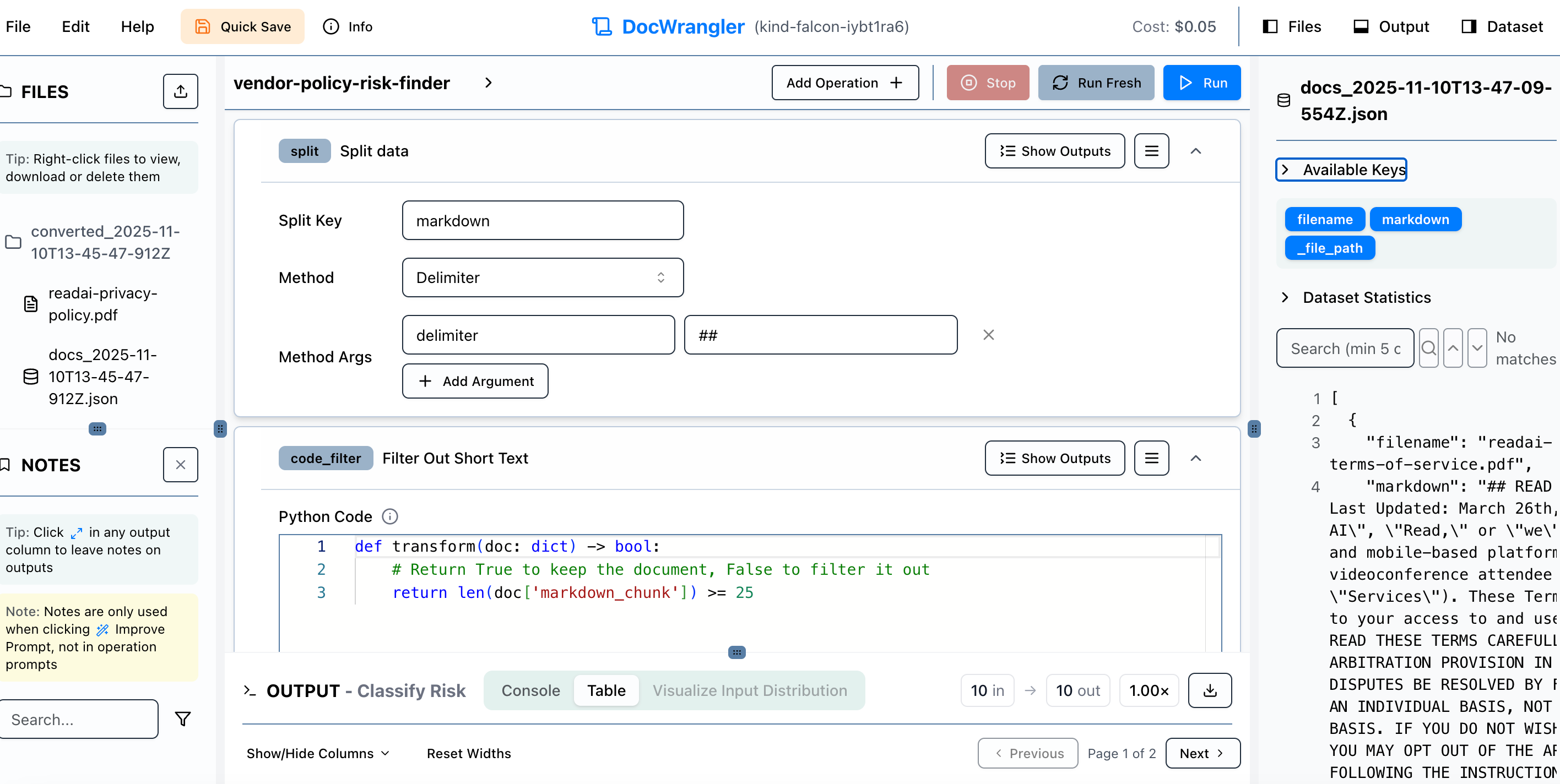
What’s this?
It turns out that many use cases for AI involve data processing: looking for patterns in restaurant orders; summarizing pain points from thousands of customer service call transcripts; finding the most common drug modalities from clinical trials; analyzing a corpus of EHR records for medication side-effects…the list goes on and on.
A star in the applied AI field, Shreya Shankar, realized this and created some extremely powerful open source tools for building these types of workflows
DocETL - An engine for LLM-based data processing
DocWrangler - An IDE for building these workflows visually
One reason these tools are great is that Shreya and her co-developers have lots of experience building data workflows for AI. They know all the little, annoying places where friction creeps in. Things like, annotating LLM responses and using the notes to improve prompts, or offering Python components where an LLM may be overkill. The tools just feel smart.
But, as with any open source project, there can be bugs. This post is my verbatim chat session with Claude Code to squash a bug I found when trying to run the application on my laptop. I should probably have waited to post until the PR has been accepted but whatever.
To configure this session, I forked the DocETL repo and opened a session of Claude Code in the directory. This way, it had access to the codebase so I could just paste in errors and it could go to work.
The entire process of bug detected to pull request took a little over an hour.
Complete Claude Code Chat
USER:
Please explain this error in the context of your codebase. Don’t change anything:
INFO: 192.168.65.1:46560 - “POST /fs/save-documents HTTP/1.1” 200 OK
[12:35:44] INFO detected formats: [<InputFormat.PDF: ‘pdf’>] document.py:361
INFO Going to convert document batch... document_converter.py:314
INFO Initializing pipeline for StandardPdfPipeline document_converter.py:359
with options hash
4a89bda5a26a77cb2b7befc50a30d131
INFO Accelerator device: ‘cpu’ accelerator_utils.py:82
INFO: 192.168.65.1:46560 - “POST /api/convert-documents?use_docetl_server=true HTTP/1.1” 500 Internal Server Error
ERROR: Exception in ASGI application
Traceback (most recent call last):
File “/app/.venv/lib/python3.11/site-packages/uvicorn/protocols/http/h11_impl.py”, line 403, in run_asgi
result = await app( # type: ignore[func-returns-value]
^^^^^^^^^^^^^^^^^^^^^^^^^^^^^^^^^^^^^^^^^^^^^^
File “/app/.venv/lib/python3.11/site-packages/uvicorn/middleware/proxy_headers.py”, line 60, in __call__
return await self.app(scope, receive, send)
^^^^^^^^^^^^^^^^^^^^^^^^^^^^^^^^^^^^
File “/app/.venv/lib/python3.11/site-packages/fastapi/applications.py”, line 1134, in __call__
await super().__call__(scope, receive, send)
File “/app/.venv/lib/python3.11/site-packages/starlette/applications.py”, line 113, in __call__
await self.middleware_stack(scope, receive, send)
File “/app/.venv/lib/python3.11/site-packages/starlette/middleware/errors.py”, line 186, in __call__
raise exc
File “/app/.venv/lib/python3.11/site-packages/starlette/middleware/errors.py”, line 164, in __call__
await self.app(scope, receive, _send)
File “/app/.venv/lib/python3.11/site-packages/starlette/middleware/cors.py”, line 93, in __call__
await self.simple_response(scope, receive, send, request_headers=headers)
File “/app/.venv/lib/python3.11/site-packages/starlette/middleware/cors.py”, line 144, in simple_response
await self.app(scope, receive, send)
File “/app/.venv/lib/python3.11/site-packages/starlette/middleware/exceptions.py”, line 63, in __call__
await wrap_app_handling_exceptions(self.app, conn)(scope, receive, send)
File “/app/.venv/lib/python3.11/site-packages/starlette/_exception_handler.py”, line 53, in wrapped_app
raise exc
File “/app/.venv/lib/python3.11/site-packages/starlette/_exception_handler.py”, line 42, in wrapped_app
await app(scope, receive, sender)
File “/app/.venv/lib/python3.11/site-packages/fastapi/middleware/asyncexitstack.py”, line 18, in __call__
await self.app(scope, receive, send)
File “/app/.venv/lib/python3.11/site-packages/starlette/routing.py”, line 716, in __call__
await self.middleware_stack(scope, receive, send)
File “/app/.venv/lib/python3.11/site-packages/starlette/routing.py”, line 736, in app
await route.handle(scope, receive, send)
File “/app/.venv/lib/python3.11/site-packages/starlette/routing.py”, line 290, in handle
await self.app(scope, receive, send)
File “/app/.venv/lib/python3.11/site-packages/fastapi/routing.py”, line 125, in app
await wrap_app_handling_exceptions(app, request)(scope, receive, send)
File “/app/.venv/lib/python3.11/site-packages/starlette/_exception_handler.py”, line 53, in wrapped_app
raise exc
File “/app/.venv/lib/python3.11/site-packages/starlette/_exception_handler.py”, line 42, in wrapped_app
await app(scope, receive, sender)
File “/app/.venv/lib/python3.11/site-packages/fastapi/routing.py”, line 111, in app
response = await f(request)
^^^^^^^^^^^^^^^^
File “/app/.venv/lib/python3.11/site-packages/fastapi/routing.py”, line 391, in app
raw_response = await run_endpoint_function(
^^^^^^^^^^^^^^^^^^^^^^^^^^^^
File “/app/.venv/lib/python3.11/site-packages/fastapi/routing.py”, line 290, in run_endpoint_function
return await dependant.call(**values)
^^^^^^^^^^^^^^^^^^^^^^^^^^^^^^
File “/app/server/app/routes/convert.py”, line 296, in convert_documents
conv_result = next(docling_iter)
^^^^^^^^^^^^^^^^^^
File “/app/.venv/lib/python3.11/site-packages/docling/document_converter.py”, line 260, in convert_all
for conv_res in conv_res_iter:
File “/app/.venv/lib/python3.11/site-packages/docling/document_converter.py”, line 332, in _convert
for item in map(
File “/app/.venv/lib/python3.11/site-packages/docling/document_converter.py”, line 379, in _process_document
conv_res = self._execute_pipeline(in_doc, raises_on_error=raises_on_error)
^^^^^^^^^^^^^^^^^^^^^^^^^^^^^^^^^^^^^^^^^^^^^^^^^^^^^^^^^^^^^^^
File “/app/.venv/lib/python3.11/site-packages/docling/document_converter.py”, line 400, in _execute_pipeline
pipeline = self._get_pipeline(in_doc.format)
^^^^^^^^^^^^^^^^^^^^^^^^^^^^^^^^^
File “/app/.venv/lib/python3.11/site-packages/docling/document_converter.py”, line 362, in _get_pipeline
self.initialized_pipelines[cache_key] = pipeline_class(
^^^^^^^^^^^^^^^
File “/app/.venv/lib/python3.11/site-packages/docling/pipeline/standard_pdf_pipeline.py”, line 380, in __init__
self._init_models()
File “/app/.venv/lib/python3.11/site-packages/docling/pipeline/standard_pdf_pipeline.py”, line 404, in _init_models
self.table_model = TableStructureModel(
^^^^^^^^^^^^^^^^^^^^
File “/app/.venv/lib/python3.11/site-packages/docling/models/table_structure_model.py”, line 72, in __init__
from docling_ibm_models.tableformer.data_management.tf_predictor import (
File “/app/.venv/lib/python3.11/site-packages/docling_ibm_models/tableformer/data_management/tf_predictor.py”, line 13, in <module>
import cv2
ImportError: libGL.so.1: cannot open shared object file: No such file or directory
ASSISTANT:
I’ll help you understand this error in the context of your codebase. Let me examine the relevant files.
ASSISTANT:
## Error Explanation
This error occurs when your **local document conversion** is attempting to process a PDF file. Here’s what’s happening:
### Call Flow
1. Request hits `/api/convert-documents?use_docetl_server=true` (line 116 in `server/app/routes/convert.py`)
2. The custom Docling URL and Modal endpoints either weren’t available or failed
3. Falls back to **local Docling processing** (line 245-302)
4. Docling initializes the `StandardPdfPipeline` with table structure detection enabled (line 249-250)
5. The `TableStructureModel` tries to import OpenCV (`cv2`)
6. OpenCV requires the system library `libGL.so.1` which is **missing from the Docker container**
### Root Cause
Your Dockerfile uses `python:3.11-slim` as the base image (line 2 and 36), which is a minimal Python image. When Docling’s table extraction feature initializes, it uses the `docling_ibm_models` package which depends on OpenCV for image processing. OpenCV requires OpenGL libraries (`libGL.so.1`) for certain operations, but these are not included in slim Docker images.
### Why It Fails
In `server/app/routes/convert.py:247-250`, you have:
python
pipeline_options = PdfPipelineOptions()
pipeline_options.do_ocr = False
pipeline_options.do_table_structure = True # This triggers the TableStructureModel
The table structure detection requires computer vision capabilities, which need system graphics libraries that aren’t present in your container.
### Context
This only happens during **local fallback processing**. Your primary conversion paths (custom Docling server and Modal endpoint) likely work fine because:
- They run on servers with proper system dependencies installed
- They’re separate services with their own environments
The error indicates the local fallback was triggered, meaning both the custom Docling URL and Modal endpoints were unavailable or failed for this request.
USER:
why was local fallback triggered?
ASSISTANT:
Looking at the code flow in `server/app/routes/convert.py`, the local fallback was triggered because the **Modal endpoint** either failed or wasn’t reachable. Let me trace through the logic:
ASSISTANT:
Based on your request URL `?use_docetl_server=true` and the code logic, here’s what happened:
## Why Local Fallback Was Triggered
Your request had `use_docetl_server=true` and was processing PDF files, so the code **should have** used the Modal endpoint at `server/app/routes/convert.py:225-240`.
The local fallback happened because the Modal endpoint either:
1. **Returned a non-200 status code** (most likely) - Notice at line 239-240: if the status isn’t 200, the code just silently continues to local processing **without any error logging**
2. **Raised an exception** - Would have logged `”Modal endpoint failed: {error}”` at line 243, but that message isn’t in your logs
3. **No custom_docling_url header was provided** - So lines 128-221 were skipped entirely
Since you don’t see a “Modal endpoint failed” message in your logs, this suggests the **Modal endpoint returned a non-200 HTTP status** (like 400, 500, 503, etc.) and the code silently fell through to local processing.
## The Silent Failure
There’s a logging gap in the code at `server/app/routes/convert.py:238-240`:
```python
async with session.post(MODAL_ENDPOINT, data=data, timeout=120) as response:
if response.status == 200:
return await response.json()
# No else clause - just continues to local fallback silently!
```
**To confirm what happened**, check if the Modal endpoint at `https://ucbepic--docling-converter-convert-documents.modal.run` is:
- Currently running/accessible
- Returning error responses
- Experiencing high load or rate limiting
USER:
I put that url in my browser and also curled it. In both cases I get the message: “modal-http: app for invoked web endpoint is stopped”
ASSISTANT:
Perfect! That explains exactly why the local fallback was triggered.
## What Happened
1. Your request had `use_docetl_server=true` with PDF files
2. Code attempted to POST to the Modal endpoint: `https://ucbepic--docling-converter-convert-documents.modal.run`
3. Modal returned a response (likely 404 or 503) with the message: **”modal-http: app for invoked web endpoint is stopped”**
4. Since `response.status != 200`, the code silently fell through to local processing at line 245
5. Local processing tried to initialize Docling with table structure detection
6. This requires OpenCV → needs `libGL.so.1` → crashes because it’s not in the Docker container
## Your Options
You have three paths forward:
1. **Start the Modal endpoint** - If you control this Modal app, deploy/start it so `use_docetl_server=true` works as intended
2. **Fix the Docker image** - Add OpenGL libraries to your Dockerfile so local fallback works:
```dockerfile
# In the runtime stage, add to apt-get install:
libgl1 libglib2.0-0
```
3. **Deploy your own Docling server** - Use the `custom_docling_url` header to point to a running Docling instance instead of relying on Modal
The Modal endpoint being stopped is the root cause of why you hit the local fallback code path that exposed the missing system dependencies.
USER:
that seems like a weird domain for an endpoint. Are you sure it’s right?
ASSISTANT:
You’re right to question it! But yes, that’s actually the correct format for a **Modal.com** endpoint.
ASSISTANT:
Yes, that domain format is correct for **Modal** (modal.com), a serverless platform.
Modal endpoints follow this pattern:
https://{workspace}--{app-name}-{function-name}.modal.run
In your case:
- **Workspace**: ucbepic
- **App/Function**: docling-converter-convert-documents
- **Domain**: .modal.run
The double-dash (`--`) separates the workspace from the app name - that’s Modal’s standard URL structure.
You can see it’s hardcoded at `server/app/routes/convert.py:30`, and there’s even a commented dev endpoint on line 31 following the same pattern.
## The Real Issue
The endpoint URL is valid, but the **Modal app is stopped/not deployed**. This means:
- Someone deployed a Modal function for document conversion in the `ucbepic` workspace
- That deployment is currently stopped (either manually stopped, scaled to zero, or the deployment was deleted)
- Your Docker container expected it to be running
You need to either:
1. **Deploy/start the Modal app** - If you have access to the `ucbepic` Modal workspace
2. **Switch to local processing** by setting `use_docetl_server=false` (but then you’ll need to fix the Docker OpenGL issue)
3. **Use a different document conversion service** via the `custom_docling_url` header
USER:
does local processing rely on docling?
ASSISTANT:
Yes, absolutely. Local processing **entirely relies on Docling**.
ASSISTANT:
Yes, **100% of the local processing uses Docling**. Look at the imports (lines 16-19) and the local fallback code:
python
# Lines 247-258
pipeline_options = PdfPipelineOptions()
pipeline_options.do_ocr = False
pipeline_options.do_table_structure = True # This is what causes the OpenCV requirement
pipeline_options.table_structure_options.do_cell_matching = True
doc_converter = DocumentConverter(
format_options={
InputFormat.PDF: PdfFormatOption(
pipeline_options=pipeline_options, backend=PyPdfiumDocumentBackend
)
}
)
Then at line 284-296, it uses this Docling converter for all non-text files.
## The Stack Trace Confirms It
Your error trace shows the entire chain through Docling:
docling/document_converter.pydocling/pipeline/standard_pdf_pipeline.pydocling/models/table_structure_model.pydocling_ibm_models/tableformer/data_management/tf_predictor.py← imports `cv2`
The problem is specifically the **table structure detection** feature (`do_table_structure = True` at line 249), which requires OpenCV and thus the missing `libGL.so.1` library.
## Your Conversion Paths
1. **Custom Docling server** (via header) → Uses remote Docling
2. **Modal endpoint** → Uses remote Docling (currently stopped)
3. **Local fallback** → Uses local Docling (crashes due to missing OpenGL libraries)
4. **Azure endpoint** (`/api/azure-convert-documents`) → Different path, doesn’t use Docling
USER:
does the docling in the local fallback run within the docker container?
ASSISTANT:
**Yes, absolutely.** The local fallback Docling runs inside the Docker container.
Looking at the error stack trace:
File “/app/.venv/lib/python3.11/site-packages/uvicorn/protocols/http/h11_impl.py”
File “/app/.venv/lib/python3.11/site-packages/docling/document_converter.py”
The `/app/.venv/` path shows this is running in the container’s virtual environment.
## How It Works
From your Dockerfile:
1. **Line 47-51**: Sets up the Python virtual environment at `/app/.venv` inside the container
2. **Line 53**: Copies the venv (including Docling) from the builder stage
3. **Line 56-60**: Copies your application code including `server/` into the container
4. **Line 77**: Starts the FastAPI server: `python3 server/app/main.py`
When a request hits `/api/convert-documents`:
- FastAPI is running **inside the container**
- When local fallback triggers, it imports and runs Docling **inside the same container**
- Docling tries to initialize OpenCV’s table detection
- OpenCV needs `libGL.so.1` which doesn’t exist in the `python:3.11-slim` base image
- **Crash** 💥
That’s why the fix would need to modify the Dockerfile (line 39-43) to add the missing system libraries to the container:
dockerfile
RUN apt-get update && apt-get install -y \
curl \
libgl1 \ # ← Add this
libglib2.0-0 \ # ← Add this
&& curl -fsSL https://deb.nodesource.com/setup_20.x | bash - \
USER:
there’s a known problem with the module AutoProcessor running on apple silicon m3 pro. Does this mean that the Docling in the Docker container will fail on my mac?
ASSISTANT:
**The current error you’re seeing is NOT the AutoProcessor/Apple Silicon issue** - it’s the missing `libGL.so.1` library, which would happen on any machine.
However, to answer your question about whether the Apple Silicon AutoProcessor issue will affect you:
## It Depends on Container Architecture
Docker Desktop on Mac runs **Linux containers**, not macOS. The key question is: **what architecture is your Docker container running?**
ASSISTANT:
**Important finding**: Your container is running **`aarch64`** (arm64 Linux), which means it’s running natively on your M3 Pro architecture.
## What This Means
**Current error (libGL.so.1)**: This will happen regardless of architecture - it’s just a missing system library in the slim Docker image.
**AutoProcessor/Apple Silicon issues**:
- Your container runs **Linux arm64**, not macOS arm64
- macOS-specific issues (MPS/Metal backend) don’t apply in Linux containers
- However, **arm64-specific ML model issues could still occur** if Docling’s models have arm64 compatibility problems
## Potential Issues You Might Hit (After Fixing libGL)
If Docling’s AutoProcessor or ML models have known arm64 issues, you might still encounter them because your container runs on arm64 architecture. Common arm64 ML problems include:
- Missing or broken pre-compiled wheels for PyTorch/transformers on arm64
- Model inference bugs on arm64
- Performance issues on arm64
## Solutions if AutoProcessor Fails
1. **Force amd64 architecture** - Build/run your container with `--platform linux/amd64` (uses Rosetta 2 emulation, slower but more compatible)
2. **Check Docling’s compatibility** - Verify if Docling officially supports arm64
3. **Use remote endpoints** - Keep using Modal/custom Docling servers (which likely run on amd64) instead of local fallback
Want me to check if there are any arm64-specific issues in your Docling installation?
USER:
i don’t want to go off too far on a tangent but I do want to know if the fallback to local mode will continue to fail even if I change teh Dockerfile to install the missing packages. Here’s an example of the error I run into with Docling on my mac:
(.venv) johndamask@Johns-MacBook-Pro-2 2025-11-10-docling-test % python app.py
Traceback (most recent call last):
File “/Users/johndamask/src/tries/2025-11-10-docling-test/.venv/lib/python3.12/site-packages/transformers/utils/import_utils.py”, line 2317, in __getattr__
module = self._get_module(self._class_to_module[name])
^^^^^^^^^^^^^^^^^^^^^^^^^^^^^^^^^^^^^^^^^^^^^
File “/Users/johndamask/src/tries/2025-11-10-docling-test/.venv/lib/python3.12/site-packages/transformers/utils/import_utils.py”, line 2347, in _get_module
raise e
File “/Users/johndamask/src/tries/2025-11-10-docling-test/.venv/lib/python3.12/site-packages/transformers/utils/import_utils.py”, line 2345, in _get_module
return importlib.import_module(”.” + module_name, self.__name__)
^^^^^^^^^^^^^^^^^^^^^^^^^^^^^^^^^^^^^^^^^^^^^^^^^^^^^^^^^
File “/Users/johndamask/.pyenv/versions/3.12.6/lib/python3.12/importlib/__init__.py”, line 90, in import_module
return _bootstrap._gcd_import(name[level:], package, level)
^^^^^^^^^^^^^^^^^^^^^^^^^^^^^^^^^^^^^^^^^^^^^^^^^^^^
File “<frozen importlib._bootstrap>”, line 1387, in _gcd_import
File “<frozen importlib._bootstrap>”, line 1360, in _find_and_load
File “<frozen importlib._bootstrap>”, line 1331, in _find_and_load_unlocked
File “<frozen importlib._bootstrap>”, line 935, in _load_unlocked
File “<frozen importlib._bootstrap_external>”, line 995, in exec_module
File “<frozen importlib._bootstrap>”, line 488, in _call_with_frames_removed
File “/Users/johndamask/src/tries/2025-11-10-docling-test/.venv/lib/python3.12/site-packages/transformers/models/auto/processing_auto.py”, line 27, in <module>
from ...image_processing_utils import ImageProcessingMixin
File “/Users/johndamask/src/tries/2025-11-10-docling-test/.venv/lib/python3.12/site-packages/transformers/image_processing_utils.py”, line 21, in <module>
from .image_processing_base import BatchFeature, ImageProcessingMixin
File “/Users/johndamask/src/tries/2025-11-10-docling-test/.venv/lib/python3.12/site-packages/transformers/image_processing_base.py”, line 26, in <module>
from .image_utils import is_valid_image, load_image
File “/Users/johndamask/src/tries/2025-11-10-docling-test/.venv/lib/python3.12/site-packages/transformers/image_utils.py”, line 55, in <module>
from torchvision.transforms import InterpolationMode
File “/Users/johndamask/src/tries/2025-11-10-docling-test/.venv/lib/python3.12/site-packages/torchvision/__init__.py”, line 10, in <module>
from torchvision import _meta_registrations, datasets, io, models, ops, transforms, utils # usort:skip
^^^^^^^^^^^^^^^^^^^^^^^^^^^^^^^^^^^^^^^^^^^^^^^^^^^^^^^^^^^^^^^^^^^^^^^^^^^^^^^^^^^^^^^^^
File “/Users/johndamask/src/tries/2025-11-10-docling-test/.venv/lib/python3.12/site-packages/torchvision/datasets/__init__.py”, line 1, in <module>
from ._optical_flow import FlyingChairs, FlyingThings3D, HD1K, KittiFlow, Sintel
File “/Users/johndamask/src/tries/2025-11-10-docling-test/.venv/lib/python3.12/site-packages/torchvision/datasets/_optical_flow.py”, line 14, in <module>
from .utils import _read_pfm, verify_str_arg
File “/Users/johndamask/src/tries/2025-11-10-docling-test/.venv/lib/python3.12/site-packages/torchvision/datasets/utils.py”, line 4, in <module>
import lzma
File “/Users/johndamask/.pyenv/versions/3.12.6/lib/python3.12/lzma.py”, line 27, in <module>
from _lzma import *
ModuleNotFoundError: No module named ‘_lzma’
The above exception was the direct cause of the following exception:
Traceback (most recent call last):
File “/Users/johndamask/src/tries/2025-11-10-docling-test/app.py”, line 1, in <module>
from docling.document_converter import DocumentConverter
File “/Users/johndamask/src/tries/2025-11-10-docling-test/.venv/lib/python3.12/site-packages/docling/document_converter.py”, line 64, in <module>
from docling.pipeline.standard_pdf_pipeline import StandardPdfPipeline
File “/Users/johndamask/src/tries/2025-11-10-docling-test/.venv/lib/python3.12/site-packages/docling/pipeline/standard_pdf_pipeline.py”, line 37, in <module>
from docling.models.code_formula_model import CodeFormulaModel, CodeFormulaModelOptions
File “/Users/johndamask/src/tries/2025-11-10-docling-test/.venv/lib/python3.12/site-packages/docling/models/code_formula_model.py”, line 17, in <module>
from transformers import AutoModelForImageTextToText, AutoProcessor
File “/Users/johndamask/src/tries/2025-11-10-docling-test/.venv/lib/python3.12/site-packages/transformers/utils/import_utils.py”, line 2320, in __getattr__
raise ModuleNotFoundError(
ModuleNotFoundError: Could not import module ‘AutoProcessor’. Are this object’s requirements defined correctly?
ASSISTANT:
Good question! This specific error is **unlikely to occur in the Docker container**. Here’s why:
## Your macOS Error vs Docker
**Your macOS error**: Missing `_lzma` module - this is a Python compilation issue. When Python is built via pyenv on macOS, if `liblzma` isn’t available at build time, the `_lzma` module won’t be compiled into Python.
**Docker container**: Uses the official `python:3.11-slim` image, which comes pre-built with all standard library modules including `_lzma` properly compiled.
Let me verify this:
ASSISTANT:
✅ **Good news**: Your container already has `_lzma` available.
Now let’s check if the transformers/torchvision stack will work on arm64:
ASSISTANT:
✅ **Even better news**: `AutoProcessor` imports successfully in your container!
Let’s test if Docling can initialize:
ASSISTANT:
Excellent! The import works. The failure only happens when trying to **actually process a document**. Let me verify that’s where the `libGL.so.1` error occurs:
ASSISTANT:
## Summary
**Your macOS `_lzma` error will NOT happen in Docker.** Here’s what’s actually going on:
### ✅ Works in Docker (arm64)
- Python standard library including `_lzma`
- `transformers` and `AutoProcessor`
- `torchvision`
- Docling imports
### ❌ Fails in Docker (arm64)
- **Only OpenCV** (`cv2`) due to missing `libGL.so.1`
## The Answer to Your Question
**Yes, local fallback will work after fixing the Dockerfile.** The fix is simple - just add the missing OpenGL libraries to your Dockerfile at line 39:
```dockerfile
RUN apt-get update && apt-get install -y \
curl \
libgl1 \
libglib2.0-0 \
&& curl -fsSL https://deb.nodesource.com/setup_20.x | bash - \
&& apt-get install -y nodejs \
&& rm -rf /var/lib/apt/lists/*
```
Your macOS issues are separate - they stem from how Python was compiled via pyenv. The Docker container doesn’t have those problems because it uses properly built official Python images.
USER:
ok please make the necessary change to the dockerfile. Be sure to keep this tightly scoped - don’t try to change more than one thing at a time
ASSISTANT:
Done. I’ve added `libgl1` and `libglib2.0-0` to the runtime stage at Dockerfile:41-42.
This will fix the `libGL.so.1` missing library error when Docling’s table structure detection initializes OpenCV. You’ll need to rebuild your Docker image for the change to take effect.
USER:
Wow this seems to have worked!! I can now convert PDFs locally! Please check the logs and verify - you should see two operations within the last 10 mins or so. The first would have been a fallback to local and the second should have been using the local server specifically
ASSISTANT:
Perfect! ✅ I can verify both operations succeeded:
## First Operation (13:45:15 - 13:45:47)
**Request**: `POST /api/convert-documents?use_docetl_server=true`
- This **attempted to use Modal** but fell back to local (no “Modal endpoint failed” message means Modal returned non-200 silently)
- Processed `readai-privacy-policy.pdf` locally
- **Successfully completed in 32.09 seconds** with `200 OK`
- Pipeline initialized without errors (no `libGL.so.1` crash!)
## Second Operation (13:46:58 - 13:47:09)
**Request**: `POST /api/convert-documents` (no query param)
- **Explicitly used local processing** (`use_docetl_server` defaults to false)
- Processed `readai-terms-of-service.pdf` locally
- **Successfully completed in 11.36 seconds** with `200 OK`
## Key Evidence of Success
Both show the complete Docling pipeline executing without errors:
INFO detected formats: [<InputFormat.PDF: ‘pdf’>]
INFO Going to convert document batch...
INFO Initializing pipeline for StandardPdfPipeline
INFO Accelerator device: ‘cpu’
INFO Processing document [filename].pdf
INFO Finished converting document [filename].pdf
No `ImportError: libGL.so.1` crashes! The Dockerfile fix worked perfectly. Both local conversions completed successfully on your M3 Pro arm64 Docker container. 🎉